
How the motion reference works
Your photos supply the people. The selected template automatically adds its own five-second silent video to guide the motion, together with a scene-specific prompt. You do not need to find, download or upload that video yourself.
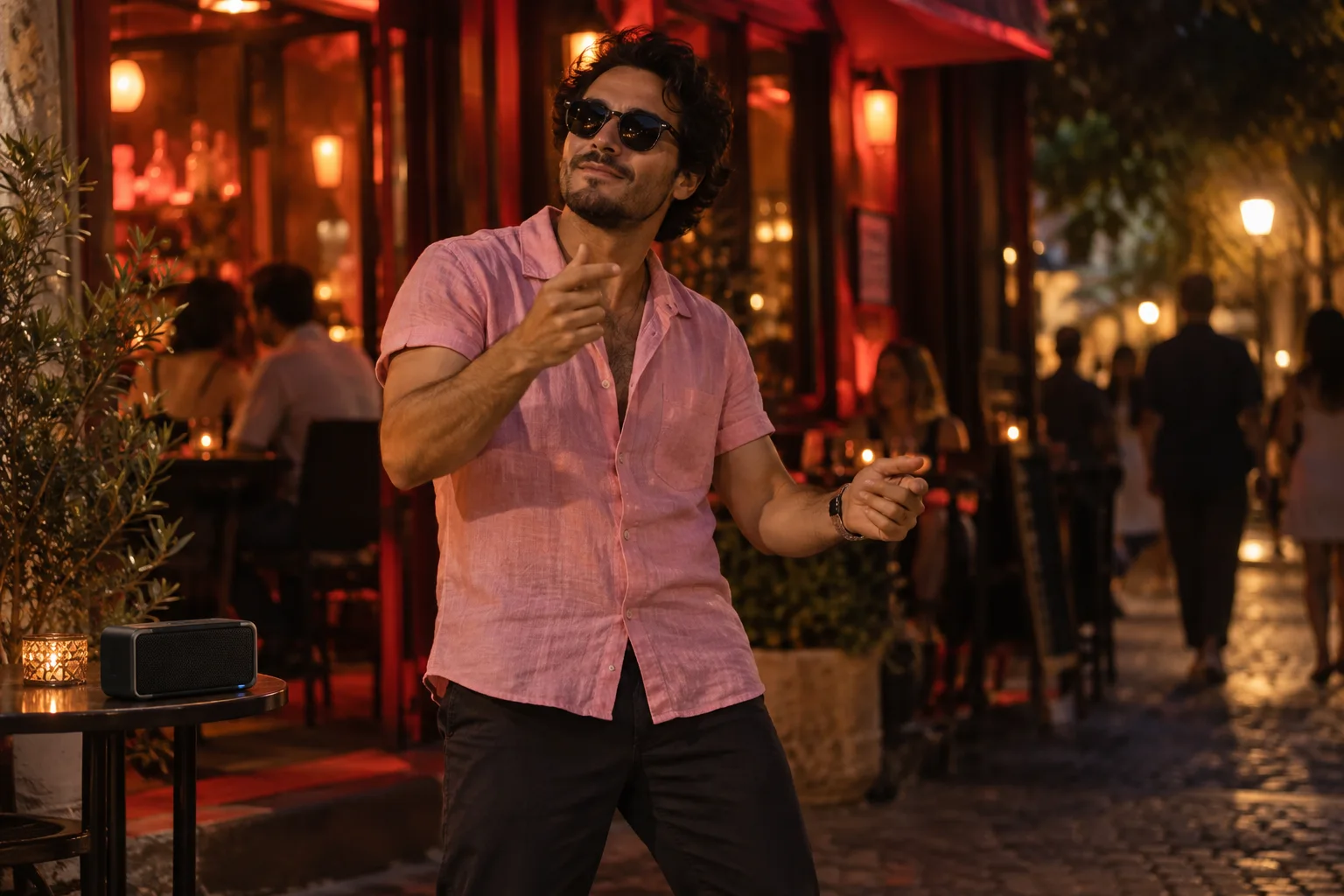
For the street freestyle, the reference guides small forward steps, shoulder rhythm and hand flourishes. The red-lit setting and pink-shirt styling come from the scene brief; the source crowd is not part of your cast.
Check the current credit quote after choosing the model, output length and quality. The reference is five seconds long; that is not the length of every finished video. The quote accounts for the reference input as well as the requested output. Browsing this page and changing settings do not submit a generation.
The reference guides movement; it does not guarantee an exact recreation. Its original soundtrack is excluded, and your photos remain the identity references. This newly connected workflow has not yet been verified with a paid render, so existing illustrations and older examples are not proof of its output quality.
What the Bulin 47 AI scene actually creates
Bulin 47 AI on this page turns your Bulin 47 AI portrait into an original street-performance scene. You appear outside a red-lit restaurant, wearing a pink shirt and making small rhythmic gestures. A portable speaker sits nearby. The emphasis is your recognizable face and a confident performance, rather than a crowded reconstruction of someone else's recording.
Use Bulin 47 AI when you want the visual joke of becoming the person performing on the street. This Bulin 47 AI preset generates new motion and an original instrumental. It does not insert your face into an uploaded viral clip, copy an artist's voice, or guarantee a sung verse. For a two-person performance with generated rap, compare the Hotel Lobby creator.
Choose a portrait that leaves room for the performance
Start Bulin 47 AI with a clear adult portrait taken from the front. Include your shoulders and some upper body, because the Bulin 47 AI scene asks for visible hands. Avoid a phone covering the face, heavy beauty filters, or a photograph so dark that the eyes disappear. The sunglasses belong to the generated scene; they need not be present in your reference.
A solo Bulin 47 AI request uses the one-photo setting. If that picture contains two intended participants, both can take part. For two separate portraits, switch to two photos and upload one clear reference for each person. Do not upload a busy group photo and expect the tool to infer which two people you meant.
Before preparing Bulin 47 AI, ask everyone shown whether they agree to appear in an animated performance. An ordinary portrait becoming a dancing video is a different use from simply sharing the Bulin 47 AI photograph. Pick your own picture or a consenting adult's picture and keep the context clear when sharing the finished edit.
Prepare the street freestyle in the creator
The Bulin 47 AI creator above opens with Street Freestyle selected. Keep that selection if you want the pink-shirt performance. Review the Bulin 47 AI photo mode first, then choose a model, duration, resolution and aspect ratio from the available controls. The exact choices follow the selected model; a setting described on another website may not exist here.
For a first Bulin 47 AI request, choose one main action: a relaxed hand gesture and small steps toward the camera. A short compatible detail, such as softer red lighting, can guide the atmosphere. Asking for a new location, several cuts, a costume change and a dance battle at once makes the intended scene harder to assess.
Bulin 47 AI provides an optional details field for a brief instruction. It does not offer a timeline editor or exact choreography controls. Preserve the Bulin 47 AI preset's subject count and clothing direction. The pink shirt and sunglasses are an intentional wardrobe change; the photo continues to guide the face, age and hairstyle.
Before starting Bulin 47 AI, read the current credit quote and confirm the Bulin 47 AI photo permission. Signing in and having usable credits are part of submitting a generation. The displayed quote is the relevant cost for your chosen settings, so do not use a competitor's price or an old screenshot to decide what this request will consume.
What moves, what stays recognizable
The Bulin 47 AI scene asks for a stable, eye-level view with faces and hands visible. Your performer makes restrained freestyle gestures, takes small rhythmic steps and finishes smiling. There is no required shoulder collision with an invented companion. A solo portrait remains a solo performance instead of automatically gaining another recognizable person.
With two people, Bulin 47 AI applies the Bulin 47 AI performance to both supplied identities. Check that their positions remain distinct and that one face does not replace the other during movement. In either mode, additional crowds and celebrity identities are outside this preset's instructions. The red entrance and speaker establish the setting without needing extra cast members.
The Bulin 47 AI illustration on this page explains the mood and framing. It is an AI concept image, not a completed video produced with your selected model. Treat it as a visual guide to the pink shirt, red light and clear foreground subject. Actual motion, identity consistency and timing must be checked in the generated Bulin 47 AI clip.
Sound and the difference from a rap generator
Bulin 47 AI uses an original dembow-inspired instrumental direction when generated music is selected. The scene does not promise the original viral recording, a recognizable melody, an artist imitation or spoken Spanish lyrics. With audio disabled, the Bulin 47 AI request instead asks for no generated sound. Listen to the completed file before adding anything else.
If your Bulin 47 AI idea requires a written dedication and two people trading lines, the AI rap generator better matches that task. Choose a tool by the Bulin 47 AI output it actually creates. A familiar trend name does not make an instrumental effect the same thing as lyric generation or reference-video editing.
Review one result before making another
Watch the entire Bulin 47 AI clip before deciding whether to retry. Compare the opening, middle and final face with the reference. Look for missing fingers, hands passing through sunglasses, swapped identities, or a shirt that changes unexpectedly. A still preview cannot establish that the Bulin 47 AI performance remains convincing throughout the sequence.
If Bulin 47 AI misses the intended look, identify one concrete issue before changing settings. A clearer portrait can address an obscured face; a simpler movement request can reduce conflicting instructions. Repeating the same request several times without reviewing the Bulin 47 AI result creates additional cost without explaining what needs to improve.
A temporary Bulin 47 AI status error does not prove that the underlying task failed. Check the Bulin 47 AI task history before submitting again. The service handles tasks marked failed or canceled through its credit-return flow; an output that differs from your artistic preference is a separate issue. Keep the task record when asking for help.
Questions before your first Bulin 47 AI video
Can I copy the exact original clip?
The preset uses a five-second silent excerpt as a motion guide and creates new frames with your photos. It does not preserve every spectator, camera movement or cut. The source soundtrack is excluded, and exact choreography is not guaranteed.
Can I control every gesture?
Bulin 47 AI accepts compatible scene details but does not guarantee frame-by-frame choreography. Keep the Bulin 47 AI request simple and evaluate the complete result. For a different mood, the party scene uses a cup and wave, while the gas-station dance emphasizes full-body steps.
What should I do before sharing?
Download the successful, approved Bulin 47 AI result and replay it with sound. Check the crop on the destination platform and explain that the performance is AI-generated where context could confuse viewers. Add any title in your editor, keeping it away from the face and hands. Return to the Bulin 47 AI creator only after you know whether another render is necessary.