TWO PORTRAITS. ONE ORANGE STUDIO.

Migos AI Video Generator

Create a Migos AI video by putting portraits into a Hotel Lobby style duo performance. Assign your left and right performers below, choose framing and audio, then check the credit quote. The current creator uses Wan 3.0 on the fixed Hotel stage. The preview demonstrates the format; your personalized result appears after the task completes.

1Your two performers

Left leads. Right hypes. Make it your duo.

Left performer
Right performer

JPG, PNG, WebP · up to 5 MBOne clear face per photo works best.

2Video & sound

Video
480p12 s · 16:9Change settings
Video format
Listen to the original audio

Generated demo · synthetic photos · original AI audio · not a preview of your selected settings

Start with one video for $4.90Pricing

Two separate portraitsNo prompt neededCredits returned if generation fails

THE PERFORMANCE BEHIND THE NAME

What is the Migos AI trend?

The Migos AI trend reimagines Quavo and Takeoff’s Hotel Lobby performance on A COLORS SHOW with different faces in the familiar orange studio. The hanging microphone and two performers make the setup recognizable. Here, Hotel Lobby describes the song and performance; the scene is a recording studio rather than a hotel interior.

The name is used by different websites, so a Migos AI generator does not always offer the same controls or output. This page uses the same two-photo creation tool as our homepage. It gives you a duo scene with choices for presentation, rather than asking you to build the whole setting from a written prompt.

This is an independent creative tool, with no affiliation or endorsement from Migos, Quavo, Takeoff or COLORS.

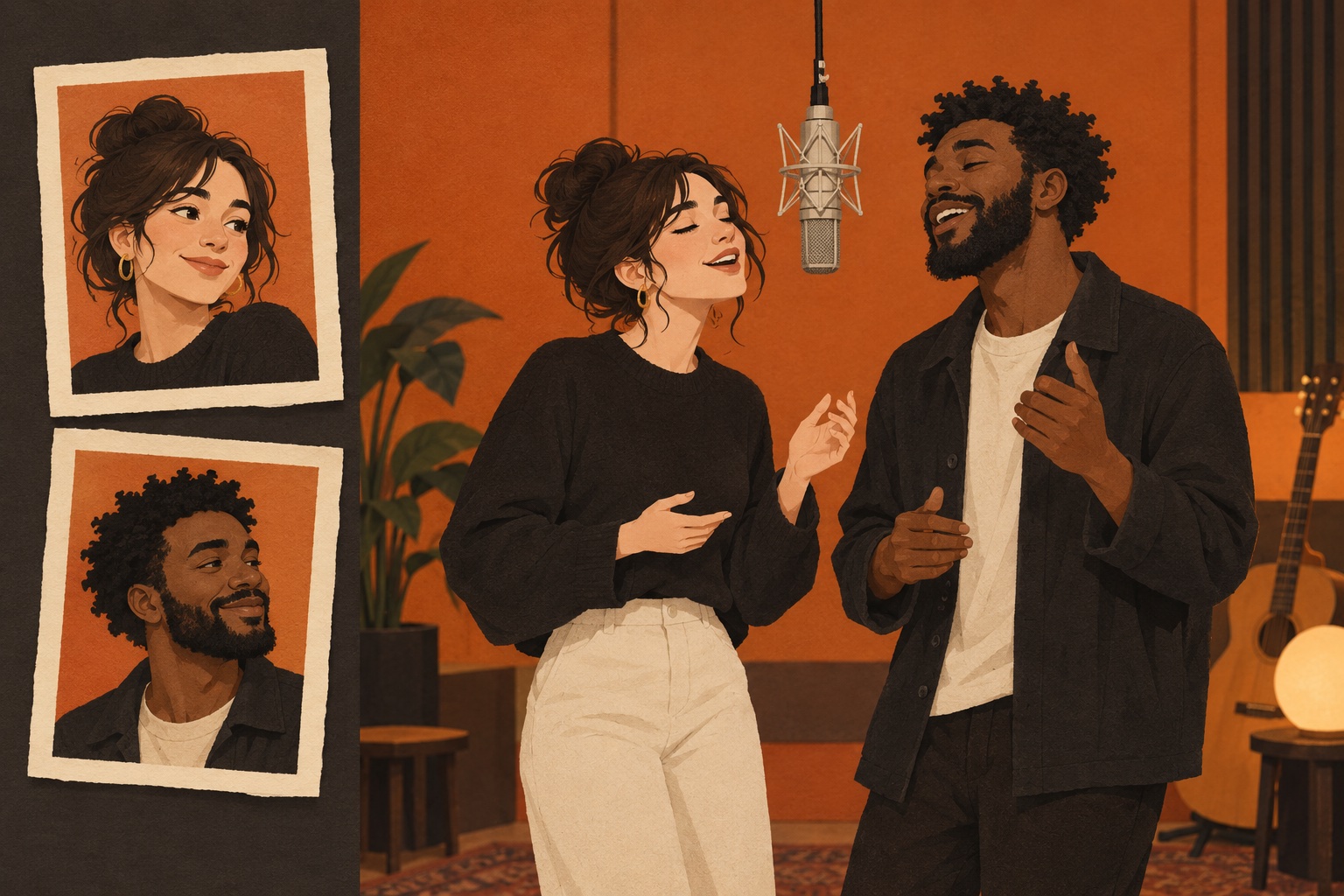
Paper-cut concept of two fictional adults in an orange studio, with two separate portrait prints beside the duo
AI-generated concept illustration: two separate portraits suggest the cast for one orange-studio duo. This is not a screenshot or a tested video result.

FROM YOUR PHOTOS TO THE PERFORMANCE

How to make a Migos AI video

For your Migos AI clip, prepare your cast, review the available settings and check the quote. Generation requires an account and enough eligible credits. Processing time varies with the queue; follow the task status.

  1. Cast the left and right performers

    Upload one clear photo into each slot. The first slot assigns the left performer and the second assigns the right. Check the thumbnails before continuing and use Swap if the order is wrong. Your subjects do not need to have been photographed together. Only use photos you have permission to animate.

  2. Choose the look and sound

    The current creator uses Wan 3.0 and the fixed Hotel stage. Choose duration, resolution and framing, then select the available audio option. Original AI rap reveals a topic field; it does not promise exact lyrics or an artist’s voice. Review the live quote before submitting.

  3. Generate, review and download

    Confirm permission, check your balance and generate. When the task finishes, watch both performers through the clip. Inspect faces, hands, clothing and sound before downloading the result. Save the original file before adding captions or making another crop, and use My videos to revisit the task and its settings.

Follow the illustrated upload and download guide Choose your two performers

GIVE EACH FACE A CLEAR REFERENCE

Better portraits, clearer casting

A Migos AI video starts with the information in your photos. Clear inputs reduce ambiguity, but they do not guarantee exact likeness or lip sync. Use the upload help above for supported files and limits, and choose portraits with visible facial detail instead of small screenshots taken from social feeds.

One person in each image

Choose a separate portrait for each performer. If you start with a group photo, crop each person individually without making the face tiny. Keep enough space around the head and shoulders for the model to understand the subject.

Show the face and clothing

Prefer an unobstructed, front-facing face in even light. Sunglasses, hands, strong shadows and heavy filters hide useful details. Include the upper body when the outfit matters, then check that your clothing choice matches the reference you intended.

Make the sides deliberate

Choose who appears on each side before generating. Similar photo framing can make the pair easier to assess. To play both roles yourself, upload your own portrait in both slots and review each performer separately in the finished clip.

Check the whole clip

An opening frame can look convincing while later frames drift. Watch for changing facial detail, blended identities or awkward fingers. If you try again, change one input at a time so you can understand which adjustment helped your result.

ONE SCENE. YOUR NEXT DUO.

One video. Or a whole party.

Pay once. Create when you want. No subscription, no expiring pack credits.

Wan 3.0 · 12 s · 480p · 40 credits for this setup

Duo Pack

Wan 3.0 · 12 s · 480p

$18.90USD

One-time payment · No auto-renewal

Estimated videos: 4160 credits · never expire

$4.73 / video at these settings

  • Credits do not expire
  • No subscription or automatic renewal
  • Failed tasks return their credits

Party Pack

Wan 3.0 · 12 s · 480p

$43.90USD

One-time payment · No auto-renewal

Estimated videos: 10400 credits · never expire

$4.39 / video at these settings

  • Credits do not expire
  • No subscription or automatic renewal
  • Failed tasks return their credits

Studio Pack

Wan 3.0 · 12 s · 480p

$84.90USD

One-time payment · No auto-renewal

Estimated videos: 20800 credits · never expire

$4.25 / video at these settings

  • Credits do not expire
  • No subscription or automatic renewal
  • Failed tasks return their credits

One-time payments. Pack credits never expire. Failed tasks return charged credits. Existing subscriptions keep their original terms.

BEFORE YOU GENERATE OR SHARE

Migos AI questions, answered

Check these practical details before committing credits. The live generator and pricing controls show current availability; example previews demonstrate the scene and should not be treated as personal results or a promise of identical quality.

Is Migos AI the same as Hotel Lobby AI?

For this orange-studio duo trend, both names refer to the same kind of remake. Here, both pages use the same creation tool. Other services can use similar names for different workflows, so compare their actual controls and output.

Can I make a video for free?

Examples and photo preparation are free. New accounts need a paid pack for their first generation; signup does not include free generation credits. After your first confirmed purchase, daily check-in rewards can contribute toward later videos. Existing unexpired credits can be used without another purchase when they cover the quote.

Can I choose a vertical video or a longer clip?

Use the framing options above for landscape or portrait. Available length and output details follow the active template, and may change. Check the current settings rather than reading the reference preview’s length as the duration of your generated video.

Does this create a new rap or clone an artist’s voice?

Select original AI rap to enter a topic for generated music and vocals. Other audio choices follow the controls displayed by the current creator. There is no artist-voice selector or uploaded voice sample in this workflow. Listen to the complete output because words, timing and pronunciation can vary.

Do I need a prompt or my own reference video?

Use two separate portraits, or choose One photo for a shared image containing both performers. The current creator keeps Wan 3.0 and the Hotel stage fixed. Adjust the displayed duration, resolution, framing and audio controls; there is no custom visual prompt or wardrobe selector in this workflow.

Will every face and mouth movement be exact?

No guarantee applies to likeness, hands or lip sync. Generated details can vary across frames and attempts. Review the full result before sharing and choose a clearer portrait when the source makes the face difficult to read.

Can I post my clip on social media?

Use consenting subjects, review the music permissions for your intended use and describe the result as an AI remake. YouTube requires disclosure for realistic, meaningfully altered content. Read the platform’s current instructions before posting; generation does not itself grant music or likeness rights.

YOUR CAST. YOUR DOUBLE ACT.

Bring your duo into the orange studio.

Make your Migos AI video