
Hotel Lobby AI Features & Output Specifications
Hotel Lobby AI features let you assign two photo references to a duo performance, select compatible video settings, review a credit quote, and download an approved result. You do not need to upload your own reference video for the built-in orange studio workflow. Availability depends on the selected Hotel Lobby AI features mode and current service configuration.
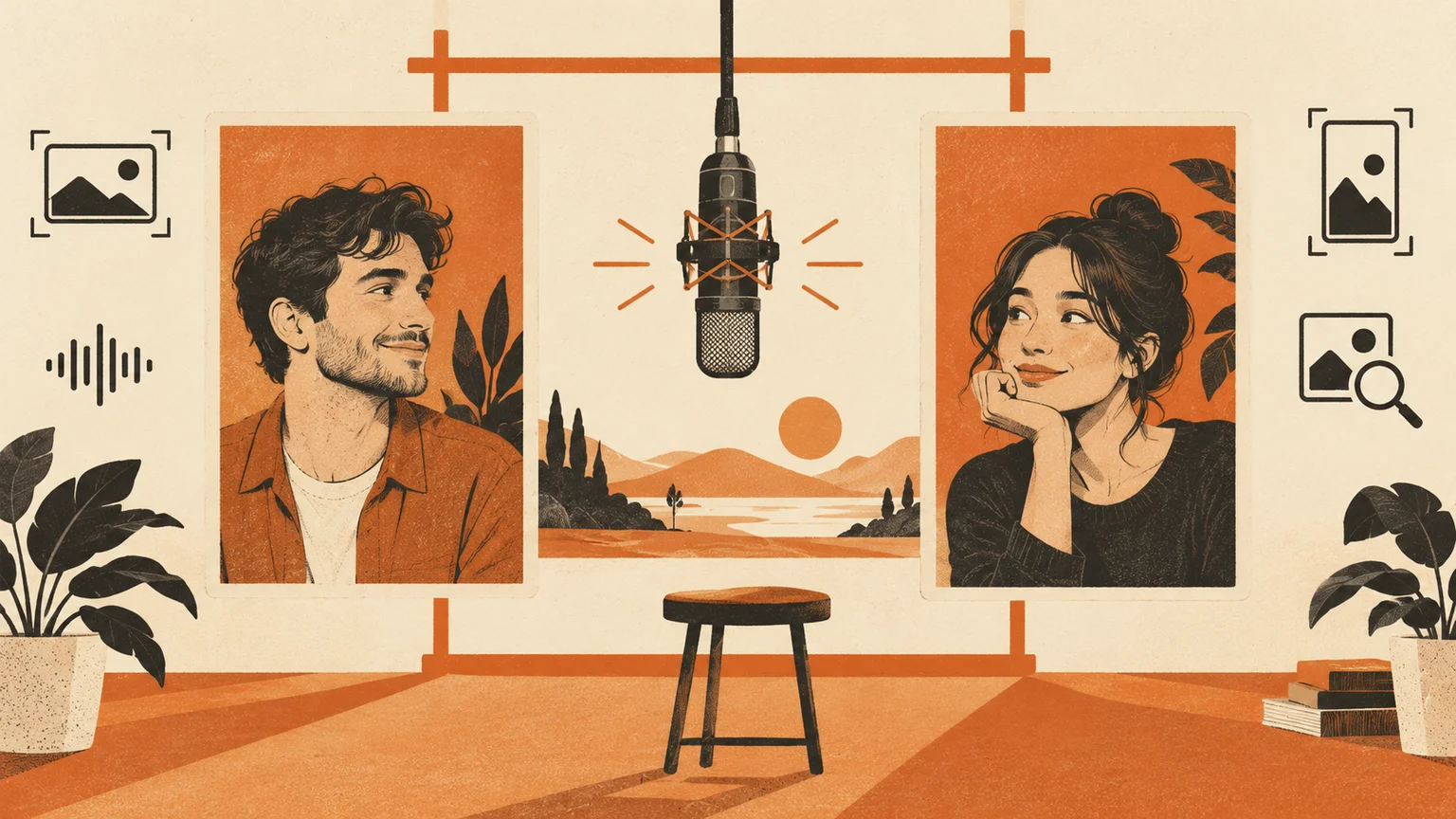
AI-generated concept illustration of inputs and output choices; not a product screenshot or a generated video result.
Current Hotel Lobby AI features and evidence
This Hotel Lobby AI features guide separates supported settings from live availability. The current interface exposing Hotel Lobby AI features selects Wan 3.0 and the Hotel Lobby stage. Seedance and Kling editing remain in the code for other or historical task workflows; they are not model choices in the current form exposing Hotel Lobby AI features. Check the generator for a selectable, ready option before purchasing credits.
Hotel Lobby AI features for photos and casting
The practical starting point for Hotel Lobby AI features is two separate portraits. JPG, PNG and WebP are accepted up to 5 MB per image, with both dimensions between 300 and 12,000 pixels. Use one clear face per slot, with visible hairline, eyes and shoulders. The left slot supplies the left performer; the right slot supplies the right performer. Use the swap control before submission to change the assignment.
Creative rap modes additionally support one photo containing both people when that mode is offered. This is a two-person input, not a promise of solo replacement. Kling editing requires two portraits. A close face crop provides identity information but little clothing detail; the model must infer anything outside the supplied image.
Hotel Lobby AI features by model definition
Hotel Lobby AI features vary by workflow. The Hotel Lobby AI features table distinguishes current Wan settings from retained model definitions. Check the public form exposing Hotel Lobby AI features and its availability message before buying; the historical rows in the Hotel Lobby AI features table do not imply a selectable model switch.
| Mode | Supported duration | Resolution setting | Main operation |
|---|---|---|---|
| Wan 3.0 | 5, 8, 10, 12 or 15 seconds | 480p, 720p or 1080p | Create a new duo performance |
| Seedance 2.0 Mini — retained definition | 5, 8, 10, 12 or 15 seconds | 480p or 720p | Create a new duo performance |
| Kling O3 Pro edit — retained definition | 5 seconds | Automatic | Edit the supplied built-in performance |
Landscape 16:9 and portrait 9:16 are settings documented under Hotel Lobby AI features. Automatic resolution is not a fixed pixel specification. Inspect the downloaded file to confirm actual dimensions. Clip duration describes the requested output length, not queue time. No measured turnaround or successful-export benchmark is claimed here.
Hotel Lobby AI features for stage and clothing
For the recognizable trend, choose the orange studio with its suspended microphone. The current public form keeps the Hotel Lobby stage. Other stage names retained in the data model are not selectable public presets.
Wardrobe behavior within Hotel Lobby AI features is also mode-specific. Creative rap modes use clothing references from the photos. The retained editing workflow defines source-performance or photo-reference outfits; the current form exposing Hotel Lobby AI features does not expose that wardrobe selector. Hotel Lobby AI features provide guidance to a generative model, not a guarantee that every logo, accessory, hand or fabric pattern survives every frame.
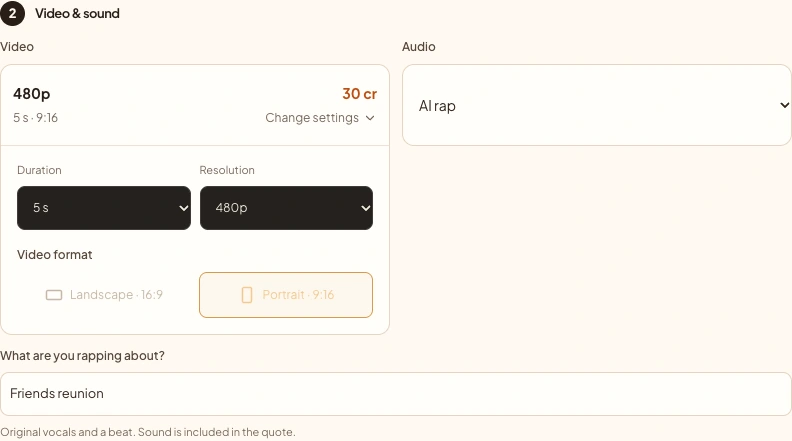
Creator settings captured October 4, 2026. Historical editing Hotel Lobby AI features are different from the currently selected creative workflow.
Audio options within Hotel Lobby AI features
Audio belongs in any review of Hotel Lobby AI features because it changes both the workflow and the result. Silence requests a clip without a soundtrack. The reference soundtrack option attaches or retains source audio according to the chosen workflow described under Hotel Lobby AI features. It does not prove that generated mouth movements match every word.
Original music means different things across modes. Creative rap modes request original vocals and a beat, with an optional topic. Editing can use a separately produced instrumental track. Read the label for your selected mode rather than assuming every audio option generates lyrics. The song and audio guide explains the distinction.
Hotel Lobby AI features: quote and download conditions
Personalized generation requires an account, permission to animate the subjects, and sufficient credits. The quote depends on model, duration, resolution and audio. New accounts need a paid pack for their first use of generation within Hotel Lobby AI features; existing unexpired credits can be used directly. Signup does not grant generation credits; daily rewards unlock after the first purchase. Read free generation conditions and pricing before submission.
Completed, approved tasks expose playback and download controls. Output checks can delay access; a processing or moderation status is not a downloadable success. Download links can expire, so return to My videos for fresh access. This guide does not certify watermark-free exports: inspect your actual file and current terms before relying on that condition.
What Hotel Lobby AI features cannot promise
Hotel Lobby AI features do not guarantee identical choreography in creative modes, flawless identity, precise lip synchronization or permission to publish the original recording. Review the complete clip, including turns, overlaps and the final frame. Keep an unchanged download before cropping or adding captions.
Compare workflow options if exact source motion matters more than scene flexibility. Use troubleshooting for incorrect sides, missing sound or failed tasks. A new generation is a separate attempt with a fresh quote; reviewing an existing task does not create another video.
To compare Hotel Lobby AI features across versions, save the mode name and selected settings with each task. Historical examples may come from a different workflow than the generator currently offers. Review Hotel Lobby AI features again when changing models: a duration, audio choice or image mode that worked previously may not remain compatible. The quote screen is the appropriate place to confirm the specific Hotel Lobby AI features request, while this dated guide explains how to interpret those Hotel Lobby AI features choices.
When reviewing Hotel Lobby AI features for a specific project, decide which requirements are essential before choosing settings. A higher resolution cannot repair incorrect identity, and a longer clip does not establish closer motion matching. Keep separate checks for face consistency, framing, sound and downloadable access. Use the quote and complete output together to judge whether the selected workflow described under Hotel Lobby AI features fits your intended use, rather than treating a model name as a quality score.
Check Hotel Lobby AI features against your task
Before using Hotel Lobby AI features, list the deliverables you need: both people recognizable, the intended frame shape, audible sound and a saved file. Verify each requirement independently. Hotel Lobby AI features such as a resolution selector describe a request, while the downloaded file confirms the outcome. Do not use historical screenshots to infer a current model switch. When documenting Hotel Lobby AI features, keep the date and the visible selection beside the task ID. Recheck Hotel Lobby AI features before a later purchase if the interface or your intended output changes.
Sources
- Production availability configuration, read October 4, 2026.
- Current product implementation: input validation, studio settings, quote calculation and task download access, reviewed October 4, 2026.