


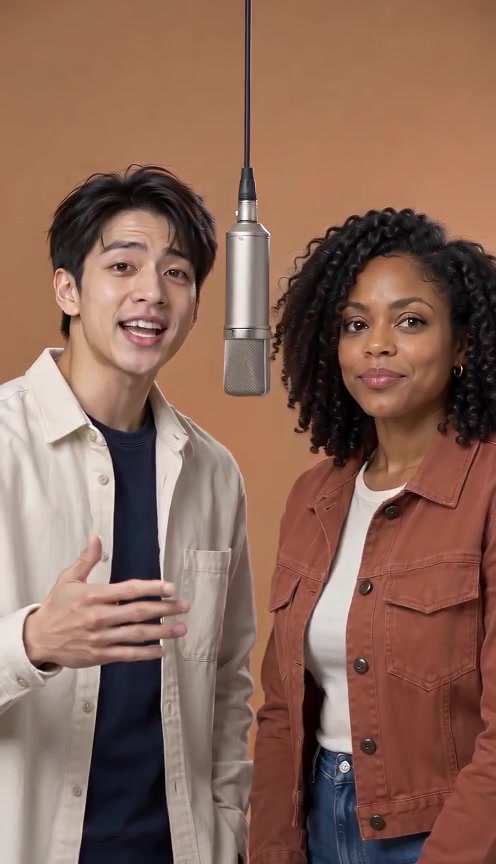
Hotel Lobby AI audio has two main choices here: a newly generated rap or the site's fixed reference recording. These Hotel Lobby AI audio options both involve sound, but they serve different goals. Choose Hotel Lobby AI audio before generating, keep the unedited download and listen to the full file. A silent website preview does not establish a silent MP4.
What Hotel Lobby AI audio includes
The default AI original song mode generates new vocals, a beat and the picture together. Your topic guides the occasion and mood. Hotel Lobby AI audio generated this way is not the Quavo and Takeoff master recording, an exact lyric script or a clone of the person in your photograph.
The separate Hotel Lobby original song mode uses a fixed source performance and restores its recording afterward. Select that Hotel Lobby AI audio option when the familiar reference is your goal, subject to an available quote. The personal topic does not rewrite the fixed track. Listen for both the restored recording and the generated performance's timing.
| Hotel Lobby AI audio choice | Source | What you control | Important limit | | --------------------------- | -------------------------------- | -------------------------------------------- | -------------------------------------------------------- | | Original rap | Newly generated vocals and beat | Occasion and optional topic | Exact words and synchronization can vary | | Reference song | Fixed site recording | Available reference mode and output settings | No personal song upload; topic does not change the track | | Later soundtrack edit | Audio added to a downloaded copy | Track placement, volume and cuts | Replacing sound leaves mouth movement unchanged |
The song guide identifies the musical reference and the feature page covers supported inputs. This Hotel Lobby AI audio page focuses on selecting and checking your soundtrack, rather than the artists' history or a ranking of other services.
Select the sound before your first attempt
Start Hotel Lobby AI audio preparation by choosing the mode above. The shared creator begins on original rap here. To request the familiar recording, switch to Hotel Lobby original song and inspect the reference options. Changing Hotel Lobby AI audio can change the model, duration and credit quote; do not reuse a price from another mode.
For Hotel Lobby AI audio, add two clear portraits or a shared photo containing both people. Photos guide their appearance. Hotel Lobby AI audio does not turn those images into recordings of their real voices. For original rap, describe one occasion and one recognizable detail, such as “two friends celebrating a Friday reunion, playful and upbeat.”
Keep language expectations separate from guaranteed output. A requested language or name can influence Hotel Lobby AI audio, but listen for pronunciation, unexpected words and an incomplete ending. The creator does not show an approved word-for-word script before rendering. Captions should reflect the actual audible result rather than your original topic.
Hear a recorded original-rap result
This saved friends demonstration contains native original rap. Listen to the complete file to assess Hotel Lobby AI audio alongside the picture. The portraits are fictional, and the clip is a recorded generated result rather than a customer testimonial. Its historical settings do not establish every future attempt's delivery or timing.
Open the friends case record for the run details. Compare Hotel Lobby AI audio from its saved file with the selected song source, rather than judging from a silent hover animation. This Hotel Lobby AI audio example records one output, not an audio-quality benchmark.
Check a silent file before generating again
For missing Hotel Lobby AI audio, first unmute the player and increase device volume. Test a known working clip on the same device. Check whether headphones, a Bluetooth speaker or another output device is receiving sound. These steps can identify playback conditions without spending credits.
Next, download the existing successful task to inspect Hotel Lobby AI audio and open its original MP4 in another player. Hotel Lobby AI audio audible there but absent in the website preview points to playback rather than a missing generated track. If Hotel Lobby AI audio is silent only in an edited copy, inspect the editor's track mute, volume and export settings.
Keep the original file and task ID if Hotel Lobby AI audio remains absent. A Hotel Lobby AI audio support report should describe the saved result rather than only the muted preview. For Hotel Lobby AI audio, note the selected mode, player and approximate point at which sound stops. A clip with quiet speech or an abruptly cut phrase is different from one without an audio track. Avoid deleting the evidence or submitting repeated renders before identifying the symptom.
| Hotel Lobby AI audio symptom | Check | Next step | | ------------------------------------ | -------------------------------- | --------------------------------- | | Silent preview, audible download | Website mute state | Continue with the original file | | Audible original, silent edited copy | Editor track and export controls | Export a corrected copy | | Sound absent in multiple players | Original file and selected mode | Keep the task record for support | | Wrong song, but sound is present | Saved mode and sound source | Identify the intended workflow | | Right song, wrong mouth timing | Both performers and vocal turns | Use the lip-sync review checklist |
For task failure or expired access, use general troubleshooting. Hotel Lobby AI audio playback checks do not require a new generation; a new personalized render has its own quote and credit charge.
Replace Hotel Lobby AI audio in an editor
Before editing Hotel Lobby AI audio, save an untouched copy. Import a duplicate into your editor, mute or remove its existing soundtrack, and add the intended track. Review the start, middle and ending so two songs do not overlap. This Hotel Lobby AI audio edit changes what viewers hear, without changing the faces or syllables already pictured.
A small Hotel Lobby AI audio shift may help when the same words are consistently early or late. Different lyrics, pace or singer assignments are different problems. Replacing Hotel Lobby AI audio with the familiar song does not make the mouth articulate that recording. The same-picture experiment demonstrates the boundary with two saved tracks.
Hotel Lobby AI audio questions
Can I upload my own song or voice note?
The current creator has no personal audio or reference-video upload. Hotel Lobby AI audio choices here are new original rap and the fixed site reference. For a custom recording, inspect a tool that explicitly accepts it; the workflow comparison explains that distinction.
Does the reference mode guarantee matching mouths?
No. Reference timing guides the request, and its sound is restored, but Hotel Lobby AI audio presence does not certify accurate syllable timing. Review both performers through pauses, fast passages and the final phrase.
Is music automatically cleared for publication?
A generation purchase does not grant music rights. Check the sound and intended platform's applicable conditions before sharing Hotel Lobby AI audio. Our publishing guide covers the final-file review; the terms state the service's conditions.
What should I send support about missing sound?
For Hotel Lobby AI audio support, provide the task ID, selected audio mode, symptom, player and approximate timestamp. Describe whether the original download and edited copy differ. Do not send passwords or payment credentials when requesting Hotel Lobby AI audio help.
Choose Hotel Lobby AI audio for the words you want, listen to the unedited result and diagnose playback before changing the soundtrack. That gives you a clear starting point for editing, timing review or support.
Sources
- Current public creator, shared song selector and audio-restoration implementation reviewed October 6, 2026. No new video generation was submitted for this guide.
- Saved original-rap friends record, historical generated output with fictional portraits.
- Recorded same-picture audio edit, distinguishes soundtrack replacement from changing the picture.
- Official COLORS performance and Apple Music original single, musical identity references.