Learn how to use Higgsfield Genjutsu to recast an existing video. Start with the free-access check, try a focused prompt, then compare the original and the result before spending more credits.
Reading this guide and copying prompts are free. A free Genjutsu render depends on an eligible trial or promotion in your Higgsfield account. Check that the offer covers Genjutsu and the selected settings; if it asks for payment or you have no eligible allowance, pause before generating. There is no verified promise of unlimited free Genjutsu use.
Go to Higgsfield and sign in using the options shown there. This tutorial follows the official tool; your account and any rendering charges belong to Higgsfield.
Look at the account offer and generation cost before uploading. Confirm Genjutsu is eligible, how many uses remain, and whether activating a trial requires payment details or renews automatically. If no free option is shown, you can still prepare the clip and prompts without submitting a render.
03
Choose a clean source clip
For a first attempt, use a short, single-shot clip with a visible subject and simple movement. A 4–8 second clip is a practical starting choice, not a guaranteed interface limit. Avoid fast cuts, heavy blur and hands covering the face. Follow the upload limits shown in the current workspace.
04
Choose the edit and add references
Use Motion Transfer when you want to rebuild the scene around an existing performance, or Object Swap for a specific replacement. Add a clear character, product or location reference where the selected workflow accepts it. Keep reference angles and lighting close to the source.
05
Write one change and check the cost
Use a prompt below, replacing its reference description with your own. State the change, the reference and the details to preserve. Start with one variation. Recheck the final credit cost and confirm that your eligible allowance covers it before selecting Generate.
06
Compare, then save the finished file
Wait for the task to finish. Play the source and output at matching moments; inspect faces, hands, edges and camera movement. Listen to the actual soundtrack rather than assuming all modes preserve audio. Save the output and prompt before deciding whether another attempt is needed.
02 / Prompt examples
Give the edit a clear brief.
These are original starting prompts, not prompts used to produce the official showcase below. Match the example to the workflow available in your account, then change the reference description. A prompt asks for consistency; it cannot guarantee it.
WHAT CHANGES + WHICH REFERENCE + WHAT STAYS
01
MOTION TRANSFER
Recast the performer
Prepare: a simple walking or dancing clip and a clear character reference.
Recast the performer as the character in the reference image. Match the reference outfit and facial features. Preserve the source performance, body movement, camera path, framing and timing. Keep the existing location and lighting. Do not introduce extra people or additional cuts.
Check: character likeness through head turns, hand shape and contact with the floor.
02
OBJECT SWAP
Swap one product
Prepare: a steady product shot and a reference showing the full replacement object.
Replace only the cup held by the person with the red ceramic mug in the reference image. Match its shape, material and color. Preserve the hand movement, grip, face, clothing, background and camera framing. Keep the mug aligned with the fingers and maintain believable reflections and contact shadows.
Check: grip, object scale, disappearing edges and unwanted background changes.
03
RESTYLE · WHEN AVAILABLE
Restyle the scene
Prepare: a short clip and a visual preset in the Restyle workflow, if available.
Restyle the source video as a hand-painted animation. Preserve the original action, camera composition, shot timing and number of subjects. Keep the character recognizable across the clip. Use consistent painted textures and soft evening colors, without adding text, extra limbs or new cuts.
Check: frame-to-frame texture stability and recognizable silhouettes. Select the style preset separately; a text prompt alone may not select it.
03 / Before & after
Same shot. Different scene.
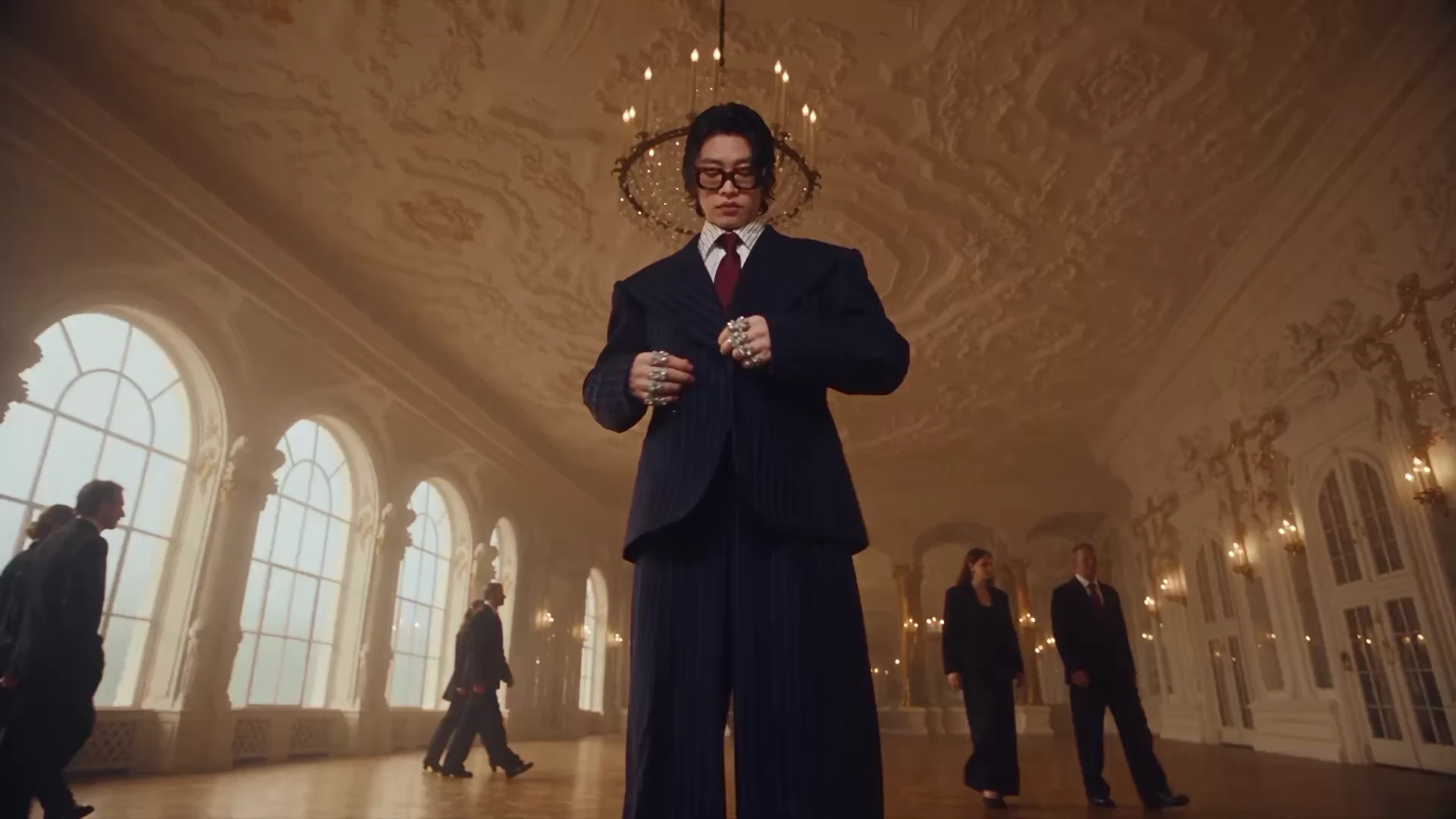
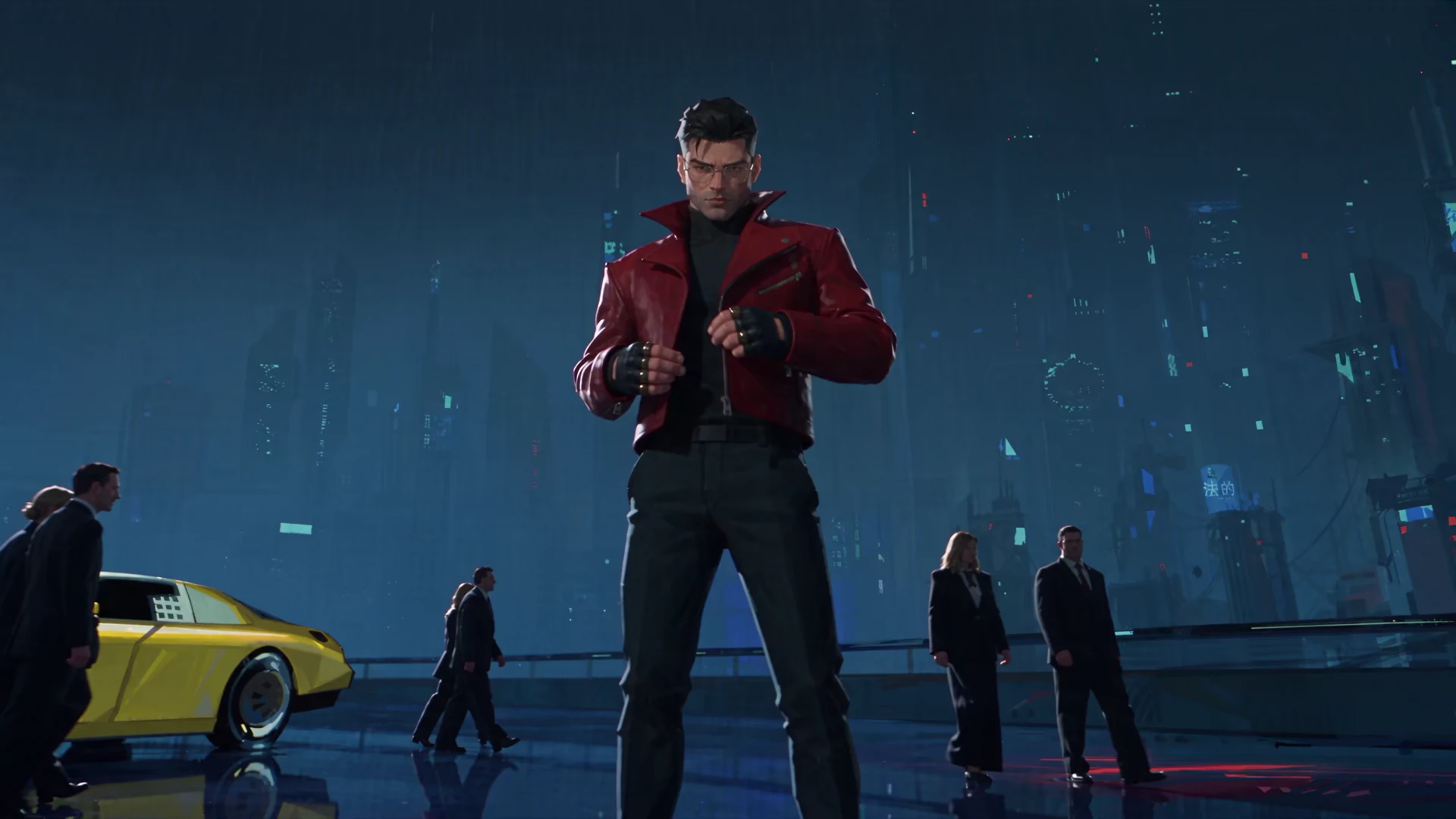
Move the slider to compare two official Genjutsu showcase frames. Then use the review table to judge your own video at the beginning, middle and end. Still frames show appearance; play the full video to assess motion.
OriginalGenjutsu result
Official Higgsfield showcase frames. Provider-selected examples; these are not outputs generated or tested by this site. View official showcase
Look at
Original
What to check in the result
Subject
Original performer or object
Does the replacement match the reference throughout the shot?
Motion & camera
Recorded action and framing
Do timing, camera direction and contact points stay coherent?
Background
Source location and lighting
Did only the intended details change? Check edges and shadows.
Audio
Soundtrack in the source file
Listen to the output. Audio behavior depends on the selected mode.
04 / Video demo
See Genjutsu in motion.
Watch the official launch showcase to see the range of edits. This is a product demonstration, not a recording of the free-access steps above.
Official Higgsfield launch demonstration · external video, loaded when you press play. View official showcase
05 / Review your result
Make the next attempt count.
Face or hands drift
Choose a clearer reference and simplify the source movement. Compare the point where the subject turns or an object crosses the face.
Too much of the scene changes
Name the exact target and the surroundings to preserve. For a local edit, use Object Swap if available rather than asking for a full-scene rebuild.
Motion looks disconnected
Look for slipping feet, floating objects and mismatched shadows. Try a steadier, shorter clip with fewer occlusions before adding more references.
The soundtrack is different
Check the workflow’s audio settings and the finished file. The official Restyle documentation describes source-audio preservation; that statement does not establish the behavior of every other Genjutsu mode.
06 / Common questions
Before your first render.
Can I use Genjutsu for free?
You can read this guide, study the official examples and copy the prompts for free. Rendering without paying requires an eligible offer in your Higgsfield account. Verify coverage and the final cost in the workspace; we have not confirmed a universal or unlimited free allowance.
Do I need an existing video?
Yes, this tutorial covers editing or recasting an existing clip. A character photo provides appearance guidance; it does not replace the source performance video.
Are these examples results from your prompts?
No. The comparison frames and demo come from Higgsfield’s official showcase. The prompts are independent writing examples. We did not run a paid generation or benchmark those prompts for this guide.
Will it preserve the original song?
Do not assume that every mode does. The Restyle documentation says that workflow retains source audio. For your selected workflow, check the audio options and listen to the output. Keeping audio also does not give you permission to publish music you do not own.
Does this site generate Genjutsu videos?
This page is an independent tutorial for the official Higgsfield workflow. It does not connect this site’s creator or billing to Genjutsu. Use the official workspace link for the editing steps described here.
Checked October 7, 2026. Features and offers can change. This independent guide links to the official workspace; there is no affiliation claim. Media remains hosted by Higgsfield. No account trial, paid render or result-quality benchmark was performed for this page.